
Fishbone Diagram: How to Make One, With Examples You Can Copy
Something went wrong. Sales dipped, a project slipped, or a post that should have done well got a handful of likes.
The tempting move is to guess. “It was the timing.” “It was the headline.” “It’s the algorithm.” Guessing feels productive, but it is mostly a way to fix the wrong thing with a lot of unearned confidence.
A fishbone diagram is the antidote. It is a simple picture that forces you to lay out every plausible cause before you commit to one. Let’s explore how it works, how to build one, and examine real-world examples you can adapt.
What Is a Fishbone Diagram?
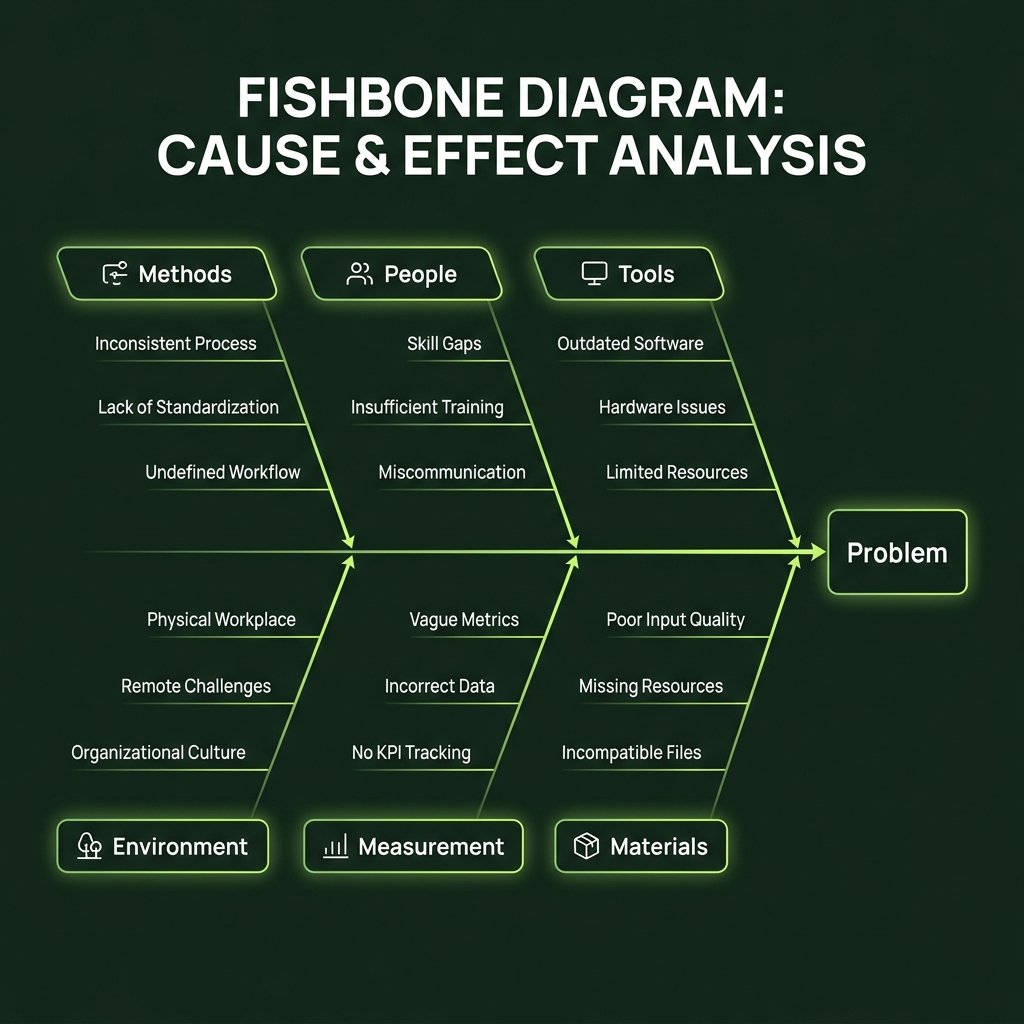
It is a cause-and-effect diagram shaped like a fish skeleton. The problem sits at the head on the right. A long line, the spine, runs back from it. Angled bones branch off the spine, and each bone represents a category of possible causes. Smaller offshoot bones hold specific root causes.
You will also see it called an Ishikawa diagram, after Kaoru Ishikawa, the Japanese quality-control pioneer who popularized it. While it is a staple in quality management and root cause analysis, nothing about it is limited to manufacturing. Any problem with multiple potential drivers is an ideal candidate.
The big idea is simple: it forces you to look wide before you look deep.
When to Use One
A fishbone diagram earns its place in your workflow when:
- ■The problem has several intertwined causes and you aren't certain which one matters most.
- ■A cross-functional group is brainstorming, and you need everyone's perspectives consolidated into a unified map.
- ■You keep applying quick fixes to the same issue, yet it keeps recurring.
- ■You need to clearly communicate your diagnostic reasoning and next steps to leadership or stakeholders.
Skip it when the cause is already known and obvious, or when you need quantitative metrics first. It is an inductive thinking tool, not a statistical calculator: it uncovers what could be wrong, while data verifies what is wrong.
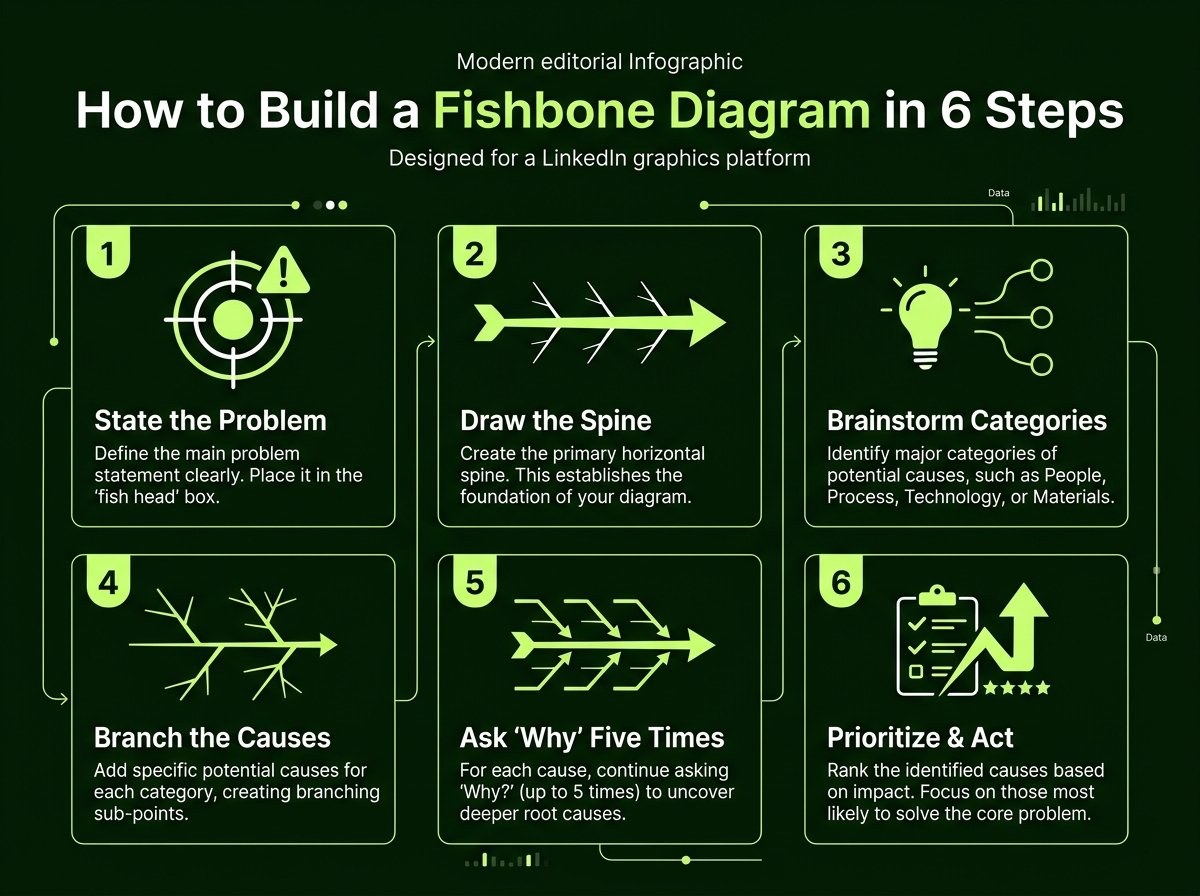
How to Build One in 6 Steps
1Write the problem as a clear statement
Specific beats vague. “Sales are down” is difficult to dissect. “Monthly sign-ups dropped from 400 to 300 between June and August” gives you concrete parameters to investigate. Write it inside the head box on the right.
2Draw the horizontal spine
A primary horizontal line running from the left directly toward the problem box. Every major category bone will attach to this central axis.
3Select your high-level categories
These are the primary angled branches. Pick categories tailored to your domain:
- Manufacturing (6 Ms): Machines, Methods, Materials, People, Measurements, Environment.
- Marketing & Sales: People, Process, Product, Price, Promotion, Place.
- Digital Teams: People, Process, Tools, Environment, Information.
4Brainstorm causes under each branch
Gather your team. For every category, ask “What factor here could contribute to the issue?” Add each hypothesis onto a smaller sub-branch. Prioritize exhaustive quantity over critique in this phase.
5Keep asking “Why?”
For each identified symptom, ask why it occurs and branch deeper. “Support replies are slow” may trace to “no template library,” which traces to “nobody owns help documentation.” You are drilling down toward an actionable root cause.
6Highlight the likely culprits and test them
Look for patterns that show up under multiple branches or clusters with high sub-branch density. Highlight the top candidates, validate them with telemetry or customer interviews, and execute a targeted experiment.
Fishbone Diagram Examples
Here are five practical, structured scenarios illustrating how to arrange different business challenges onto a cause-and-effect spine:
Example 1: A Manufacturing Defect
Case Study 1A product has a recurring surface defect.
Key Takeaway: This is the classic industrial use. The 6 Ms exist because manufacturing facilities repeatedly run into the same families of root causes.
Example 2: A Drop in Sales
Case Study 2Quarterly sales fell short of target.
Key Takeaway: Notice how structured analysis prevents teams from reflexively blaming sales reps when the true bottleneck may lie in lead qualification or pricing tiering.
Example 3: A Late Project
Case Study 3The software project shipped three weeks behind schedule.
Key Takeaway: Recurring root themes often emerge across multiple bones (such as 'unclear ownership'), which immediately signals the primary systemic bottleneck.
Example 4: Customer Churn
Case Study 4Customer cancellations increased over two consecutive quarters.
Key Takeaway: Visualizing user journey stages on a cause-and-effect spine reveals whether churn is an acquisition issue, an onboarding friction, or a pricing mismatch.
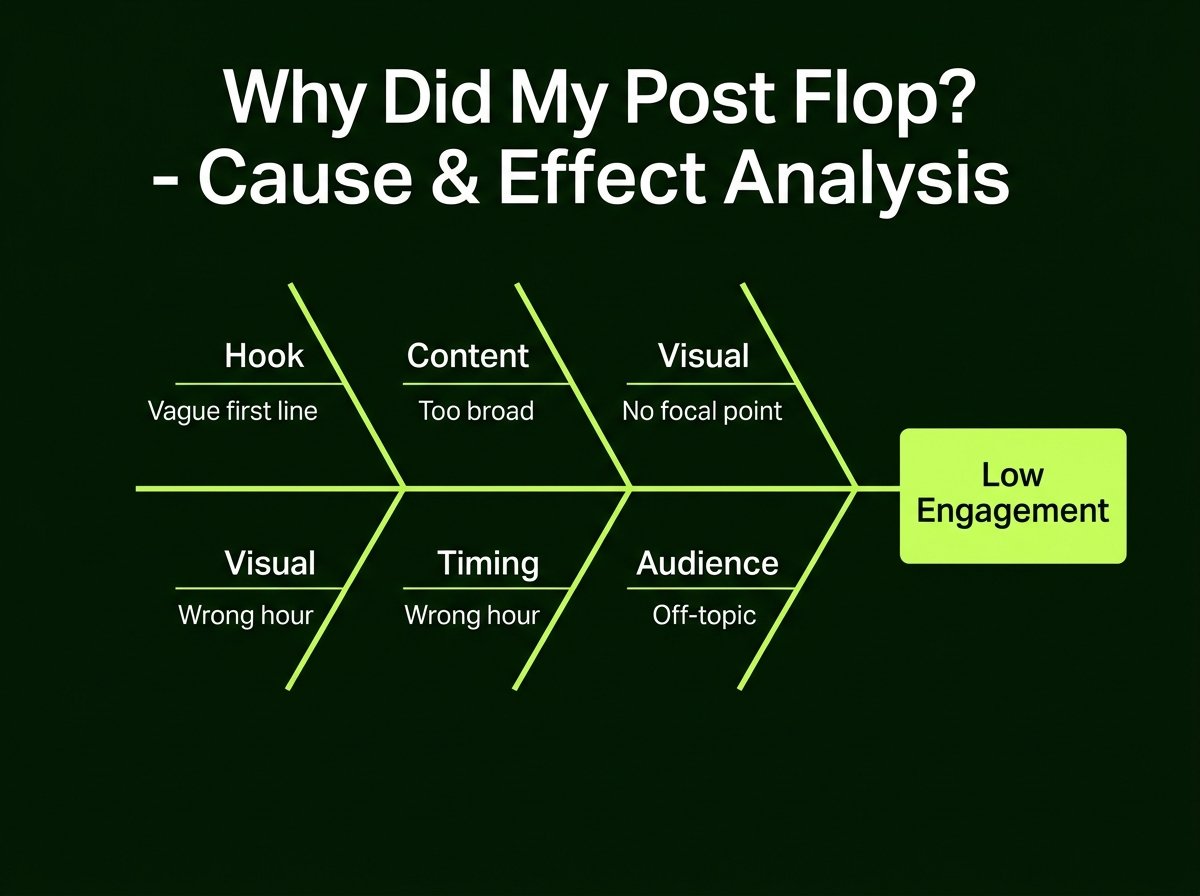
Example 5: A LinkedIn Post That Flopped
Case Study 5A post received a fraction of the usual impressions and engagement.
Key Takeaway: Test this on your own content. Running a fishbone diagnostic on three underperforming posts often reveals the exact same weakness, giving you a repeatable playbook to fix.
How to Read a Fishbone Diagram
When someone hands you a completed Ishikawa diagram, follow this reading sequence:
- ■Start at the head: Ensure the problem statement is unambiguous and metrics-backed.
- ■Skim the main bones: These tell you which dimensions and departments were included in the investigation.
- ■Look for crowded branches: A bone with high sub-branch density indicates either a known risk zone or an area requiring deeper testing.
- ■Spot repeats across categories: If the same underlying cause appears across multiple categories (e.g. 'unclear SOPs'), it is almost certainly a core systemic failure.
- ■Validate evidence: Segregate hypotheses based on concrete telemetry, logs, or customer verbatims from mere assumptions.
Fishbone Diagrams in Lean and Six Sigma
Quality management methodologies rely heavily on fishbones. In Six Sigma, the diagram is central to the Analyze phase of the DMAIC cycle (Define, Measure, Analyze, Improve, Control), where it catalogs all possible hypotheses before statistical significance testing.
In Lean, teams use fishbone workshops during Kaizen sprints to eliminate sources of waste, such as idle handoff times or redundant rework loops. In both frameworks, the principle holds: the fishbone generates hypotheses, and empirical evidence validates or rejects them.
Where Fishbones Go Wrong
- ■Vague problem statements: If the head is ambiguous, every branching bone becomes muddled.
- ■Overcomplicating categories: Four to six categories provide optimal cognitive clarity. Exceeding eight creates visual noise.
- ■Stopping at the first obvious answer: The first symptom you brainstorm is rarely the true root cause.
- ■Treating brainstorming as proven fact: Hypotheses on a diagram remain conjectures until validated by data.
- ■Working in a silo: Single-author fishbones carry personal blind spots. Involve cross-functional peers.
- ■Failing to act: An aesthetically pleasing diagram that does not produce a prioritized corrective test is merely decoration.
Fishbone vs. Other Diagnostic Tools
A fishbone diagram is rarely used in isolation. Pair it with complementary diagnostic frameworks:
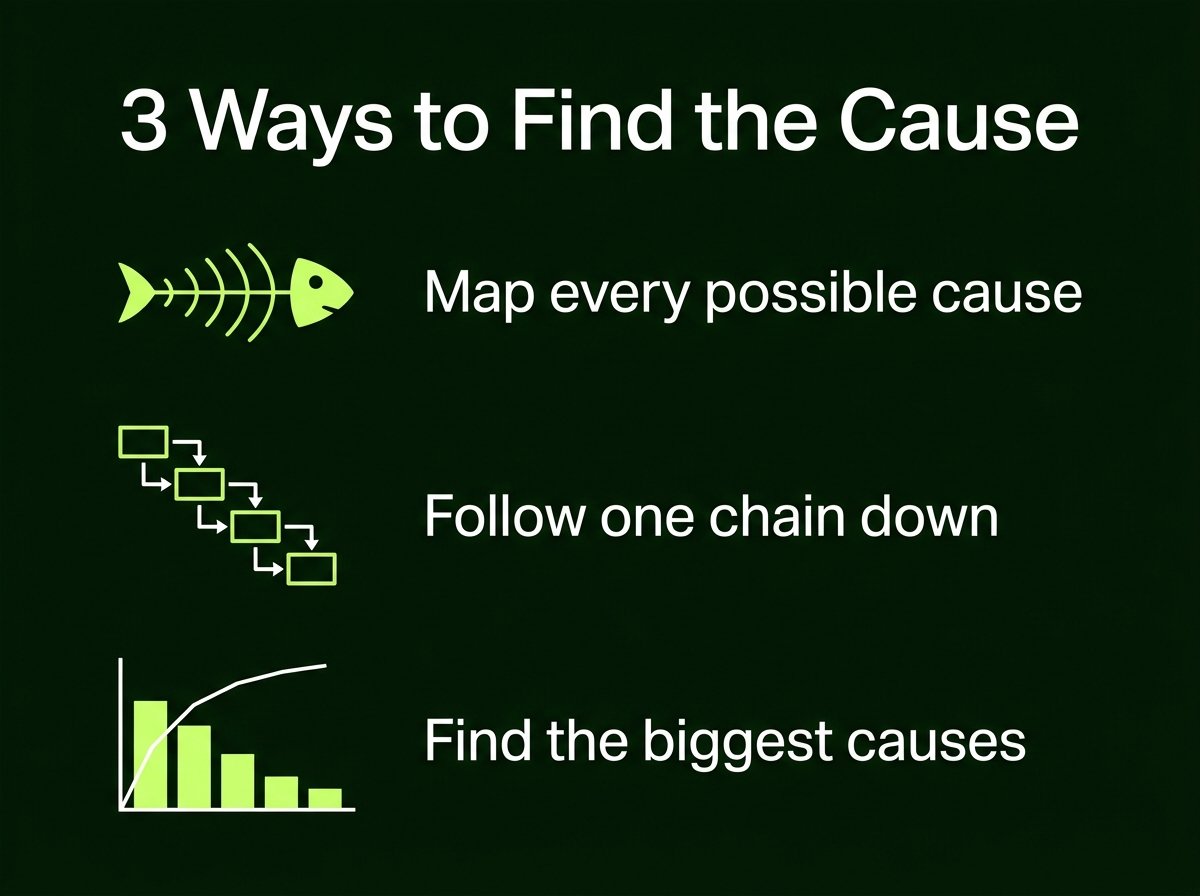
- ■5 Whys: Continuously probes a single linear chain of causality. Best when the failure mode is straightforward.
- ■Pareto Chart: Quantifies and ranks identified causes by frequency or severity, ensuring you solve the 20% of issues causing 80% of pain.
- ■Flowchart: Documents the step-by-step process chronologically to isolate exactly where handoffs break down.
A proven workflow is to brainstorm broadly using a fishbone, prioritize high-impact causes with a Pareto chart, and optimize the corrected procedure using a flowchart.
Making a Fishbone You Can Share on LinkedIn
Fishbones make magnetic LinkedIn content. Posts like “Why our latest enterprise deal slipped and what we fixed” or “The 5 root causes behind user onboarding friction” are the transparent, educational assets that drive saves, reposts, and bookmarking.
Checklist: Make a Fishbone People Can Read on Mobile
Essential design principles for high-engagement LinkedIn graphics
The Takeaway
A fishbone diagram forces you to pause before jumping to conclusions about what failed. Define the problem with precision, explore categories widely, drill down into root causes, and validate your hypotheses before committing capital and effort.
And when you want to share your diagnostic findings on LinkedIn, keep the layout clean enough to read at a glance.
That is the exact workflow Visly automates. Simply describe your scenario in a single sentence—such as “a fishbone showing 5 reasons our onboarding is slow”—and Visly builds a tailored, executive-ready LinkedIn infographic in under 60 seconds with your brand aesthetics applied.