
Emphasis in Design: 5 Ways to Make Your Key Point Impossible to Miss
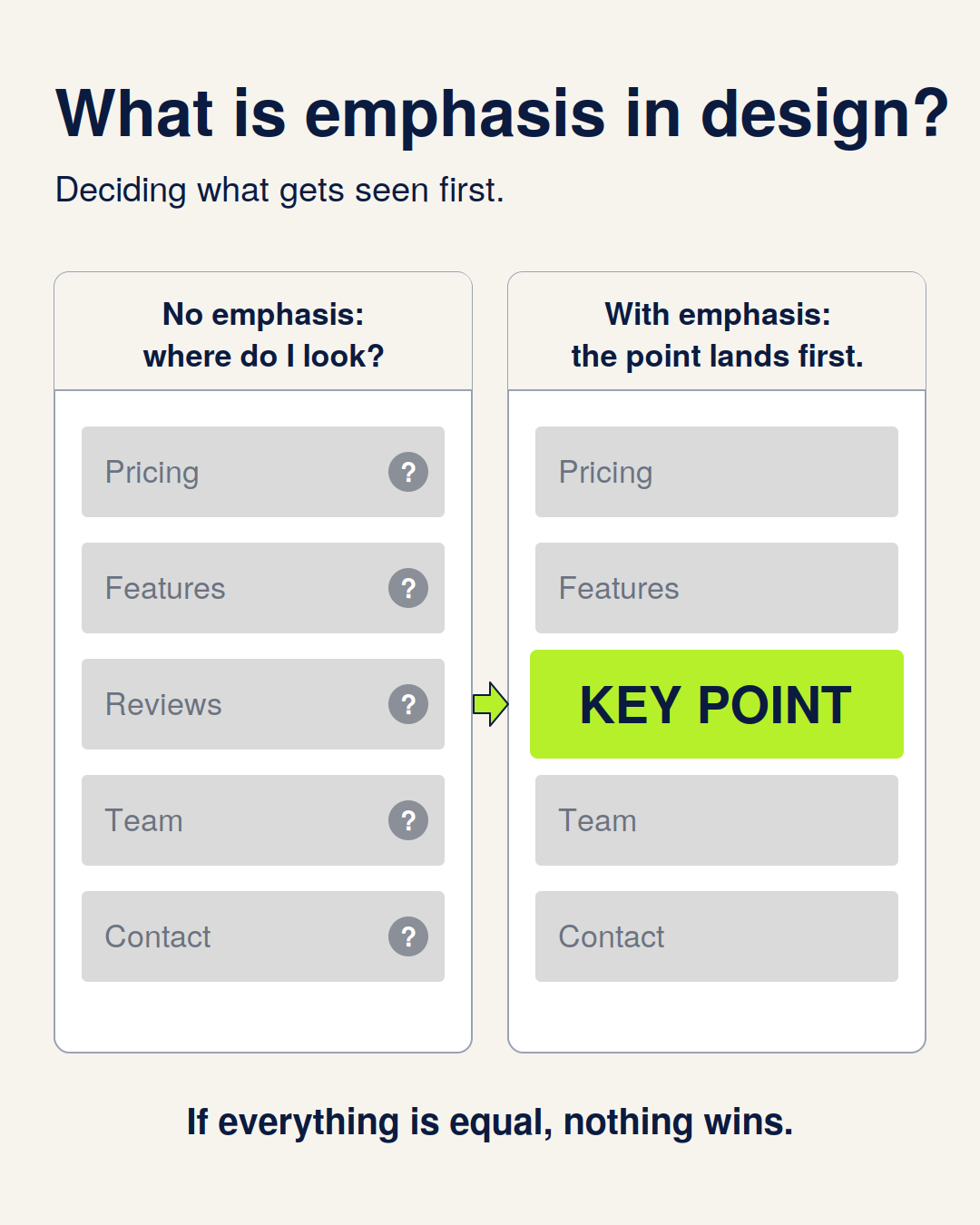
Someone scrolling LinkedIn gives your graphic about a second. In that second, they aren't reading. They're deciding whether there's anything worth reading.
What they see first decides that. If their eye lands on your main point, they stay. If it bounces between six equally loud elements, they keep scrolling, and they won't remember why.
Controlling that first glance is what emphasis is for.
This guide covers what emphasis is, five techniques for creating it, the mistake that ruins most graphics, and a quick test you can run before you post anything.
What Is Emphasis in Design?
Emphasis is the principle of making one element stand out so the viewer knows where to look first. Designers sometimes call it dominance.
It's closely tied to visual hierarchy, but they aren't the same thing. Hierarchy is the full reading order: first this, then this, then this. Emphasis is the top of that order, the one thing that has to land before anything else does.
Every piece of content has a main point, and a well-designed graphic makes that point obvious before a single sentence is read.
Why Emphasis Matters More on a Feed
In a document or on a website, a reader has some patience. On a feed, they have none. Your graphic competes with dozens of other posts, and most people decide in an instant whether to engage.
Without emphasis, a reader has to work out what matters. Most won't. With it, the main point is delivered before they've decided whether to care.
Emphasis also makes information stick. When one element clearly outranks the rest, people remember it. When everything has equal weight, they remember nothing.
5 Ways to Create Emphasis
1. Size
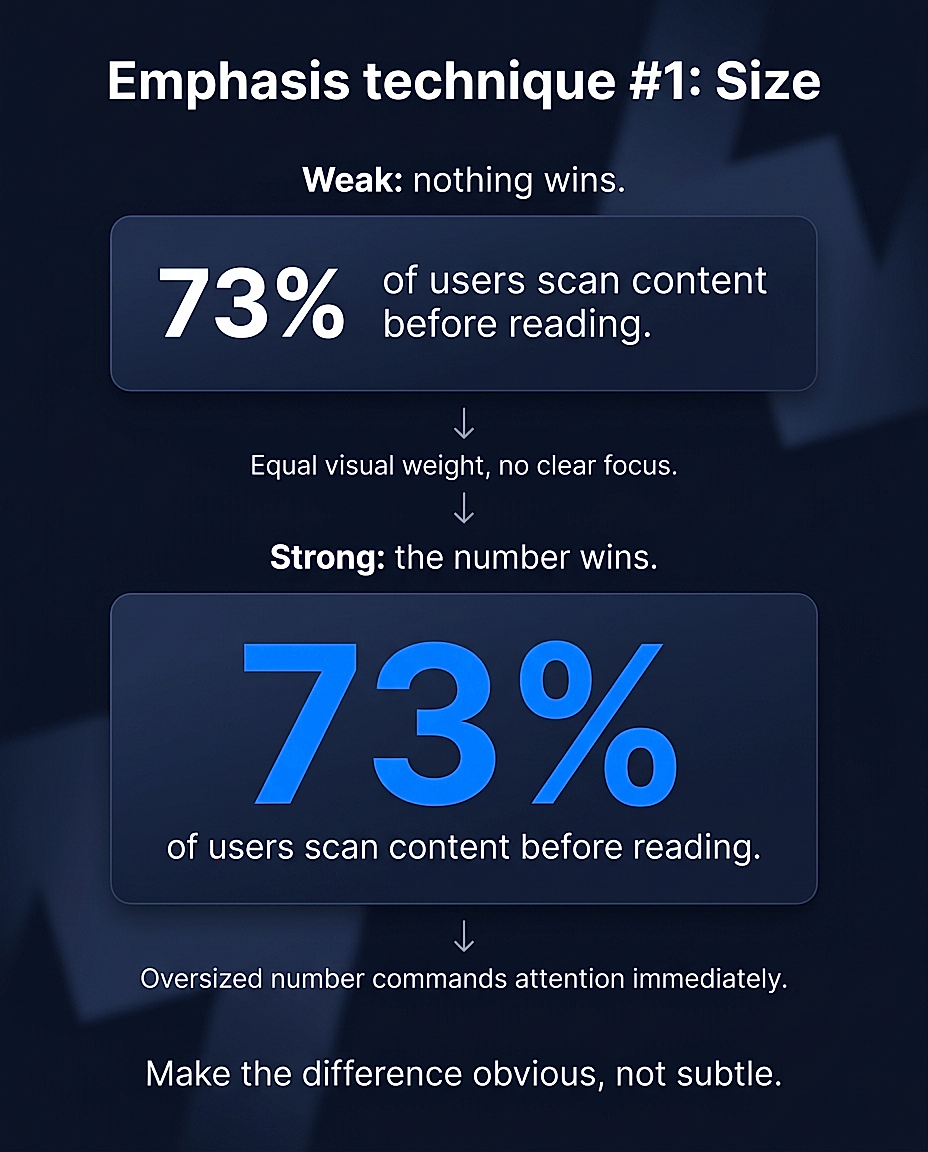
Size is the fastest and most universal tool. The biggest element on the page gets seen first, almost automatically.
For a stat graphic, that means the number should be huge and the explanation small. If you're sharing \"73% of buyers research on LinkedIn before replying,\" the \"73%\" is the graphic. Everything else supports it.
The rule is to make the difference in size obvious. If two elements are nearly the same size, the eye can't pick a winner. Go bigger than feels comfortable.
2. Color
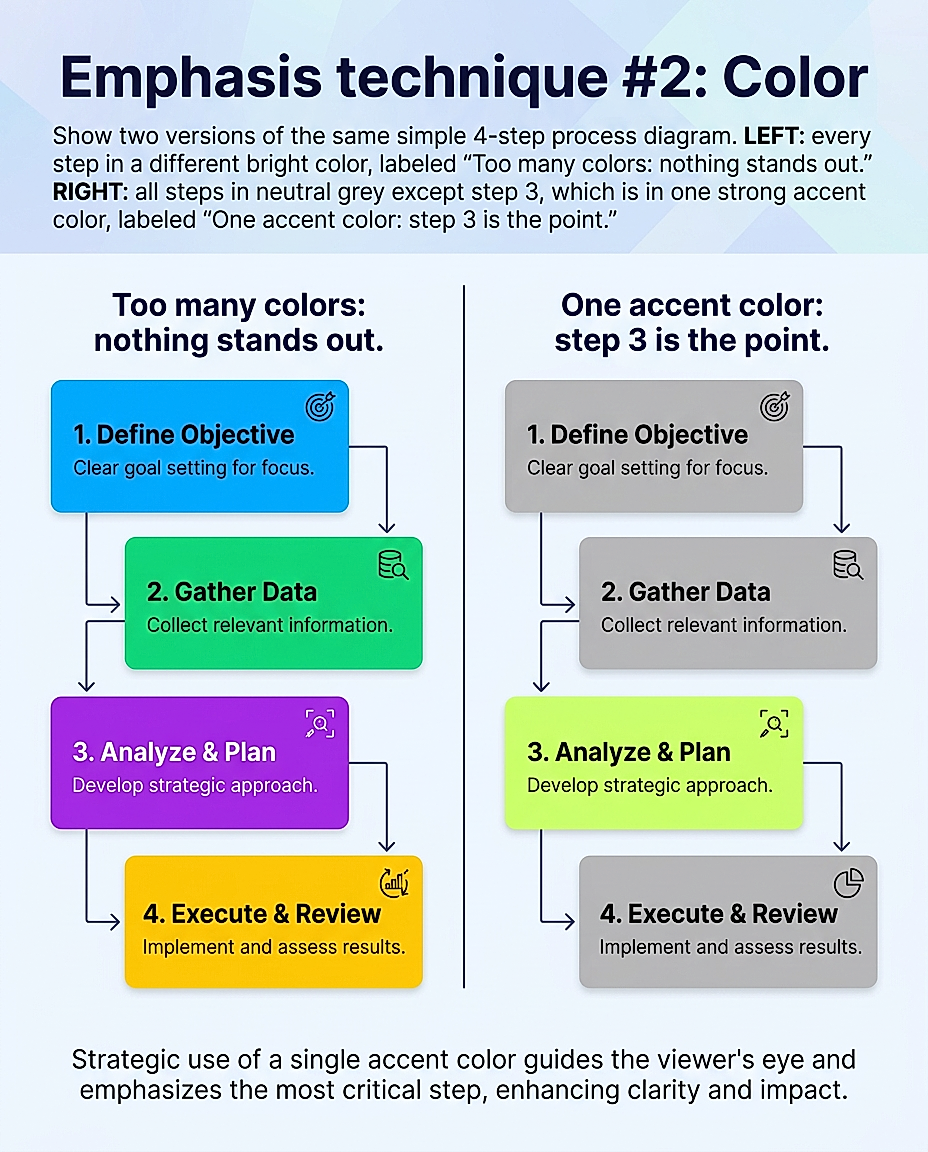
Color pulls the eye faster than almost anything except size. A single colored element on an otherwise neutral layout is hard to ignore.
The key word is single. Color creates emphasis through scarcity. If your graphic uses three accent colors, none of them stands out. Pick one, and save it for the thing that matters.
Use it for the key number, the key word in a headline, or the one step in a process you want people to remember.
3. Contrast
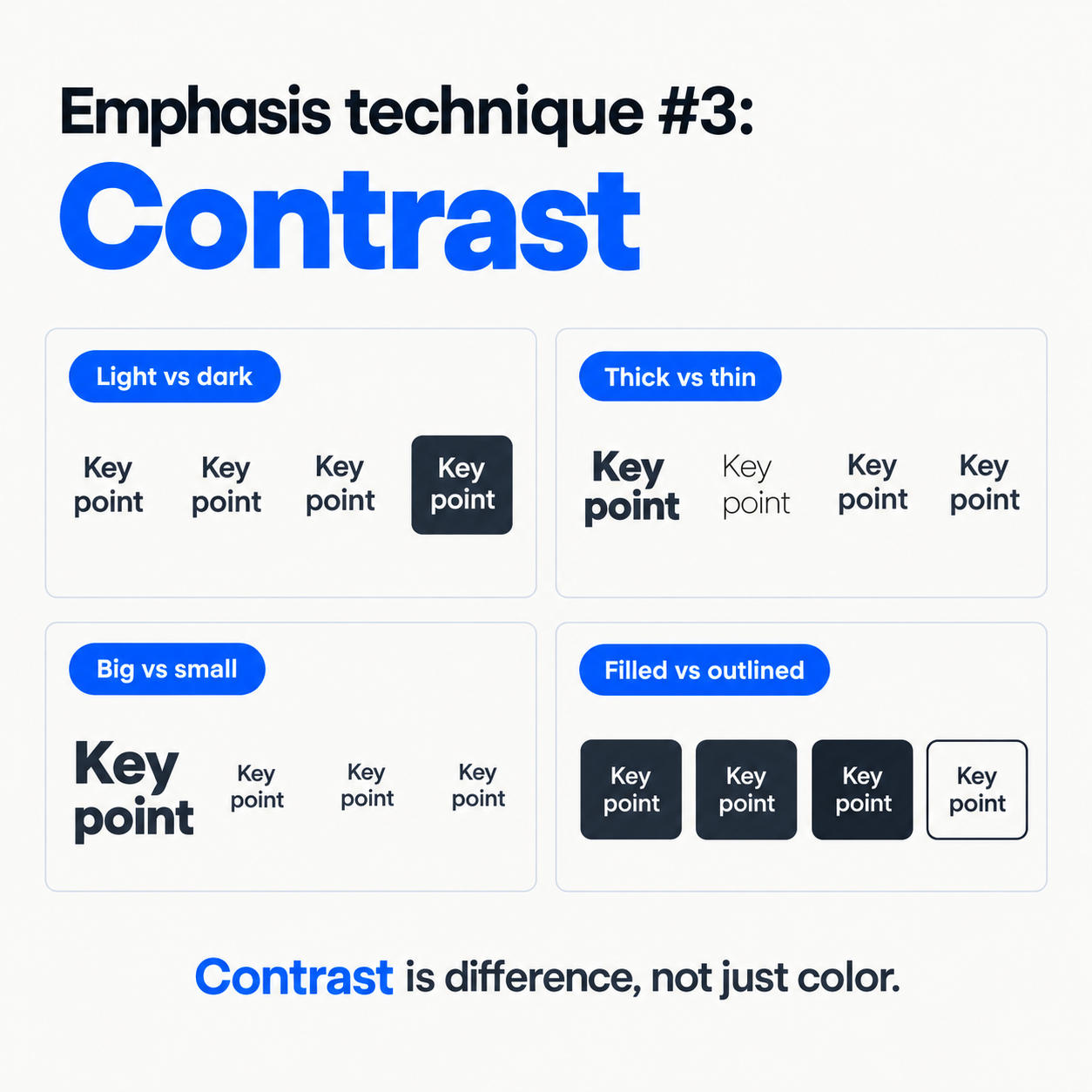
Contrast is about difference, and color is only one kind. Light against dark, thick against thin, large against small, and filled against outlined all create contrast.
Contrast also affects whether people can read your graphic at all. Phone screens are small, and thin gray text on a white background disappears in a feed. A strong contrast ratio keeps your key text legible at a glance.
A useful habit is to check your most important text first. If it doesn’t have the strongest contrast on the page, fix that before touching anything else.
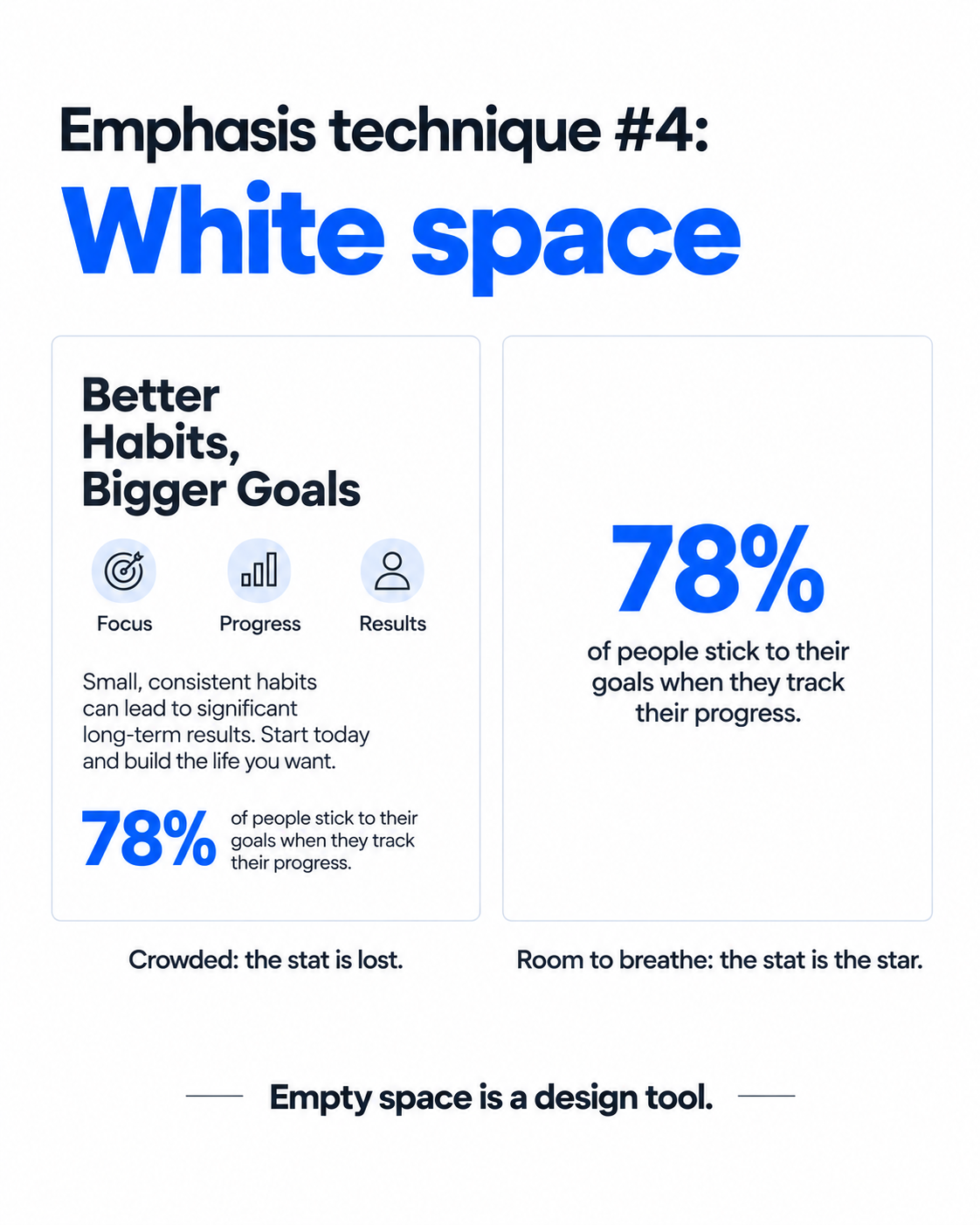
4. White Space
White space (also called negative space) is the empty area around your content, and it’s one of the most underrated ways to create emphasis.
An element surrounded by empty space gets more attention than the same element in a crowded layout. Crowding signals “this is one of many things.” Isolation signals “this matters.”
If you want something noticed, give it room. It often works better than making it bigger.
5. Restraint
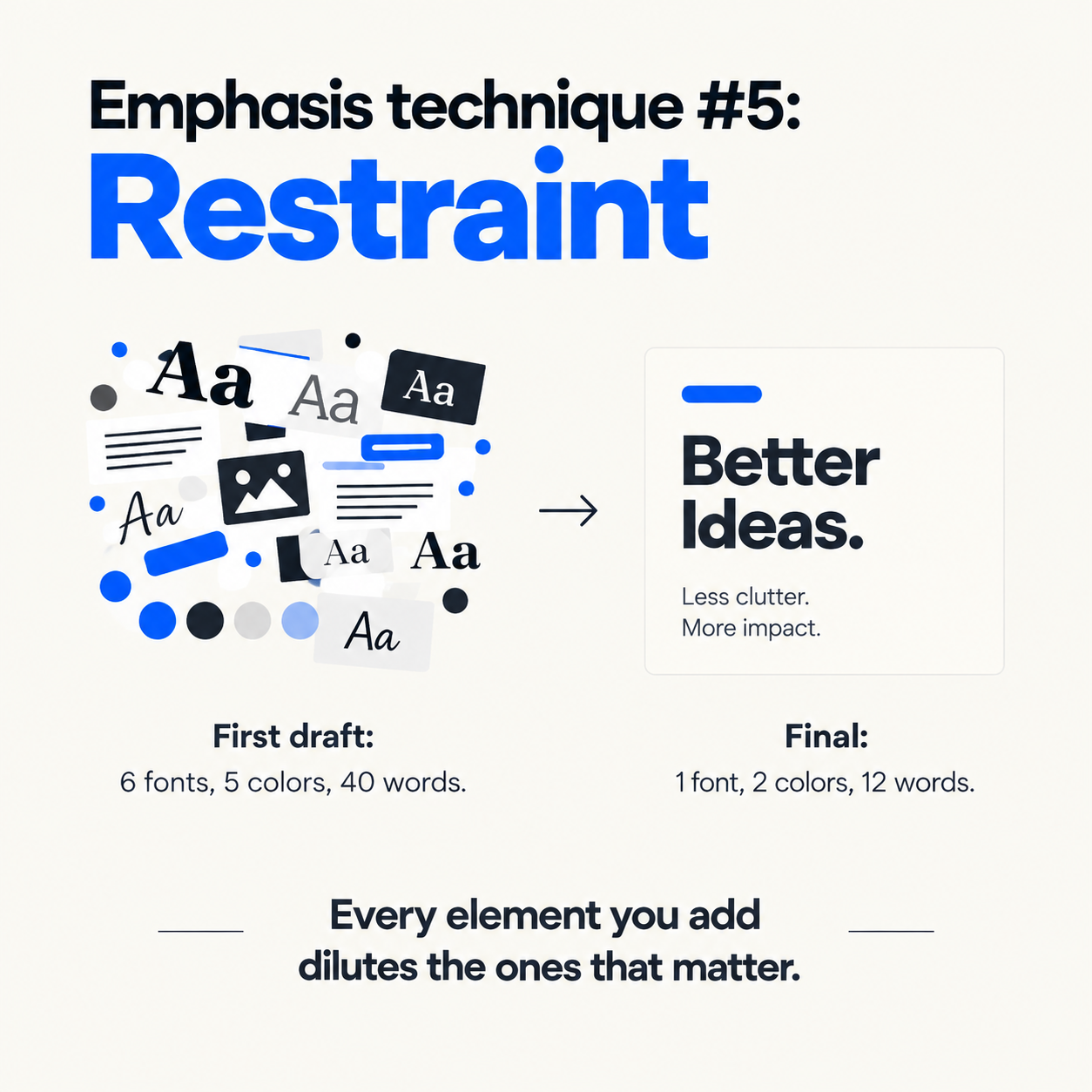
This one is less a technique than a discipline. Every extra element you add takes a little emphasis away from the ones that matter.
Restraint means cutting: fewer words, fewer colors, fewer fonts, fewer icons. A good test for any element is to ask whether the graphic would still work without it. If yes, remove it.
Most strong infographics aren’t clever. They’re edited.
The Mistake That Undoes Everything
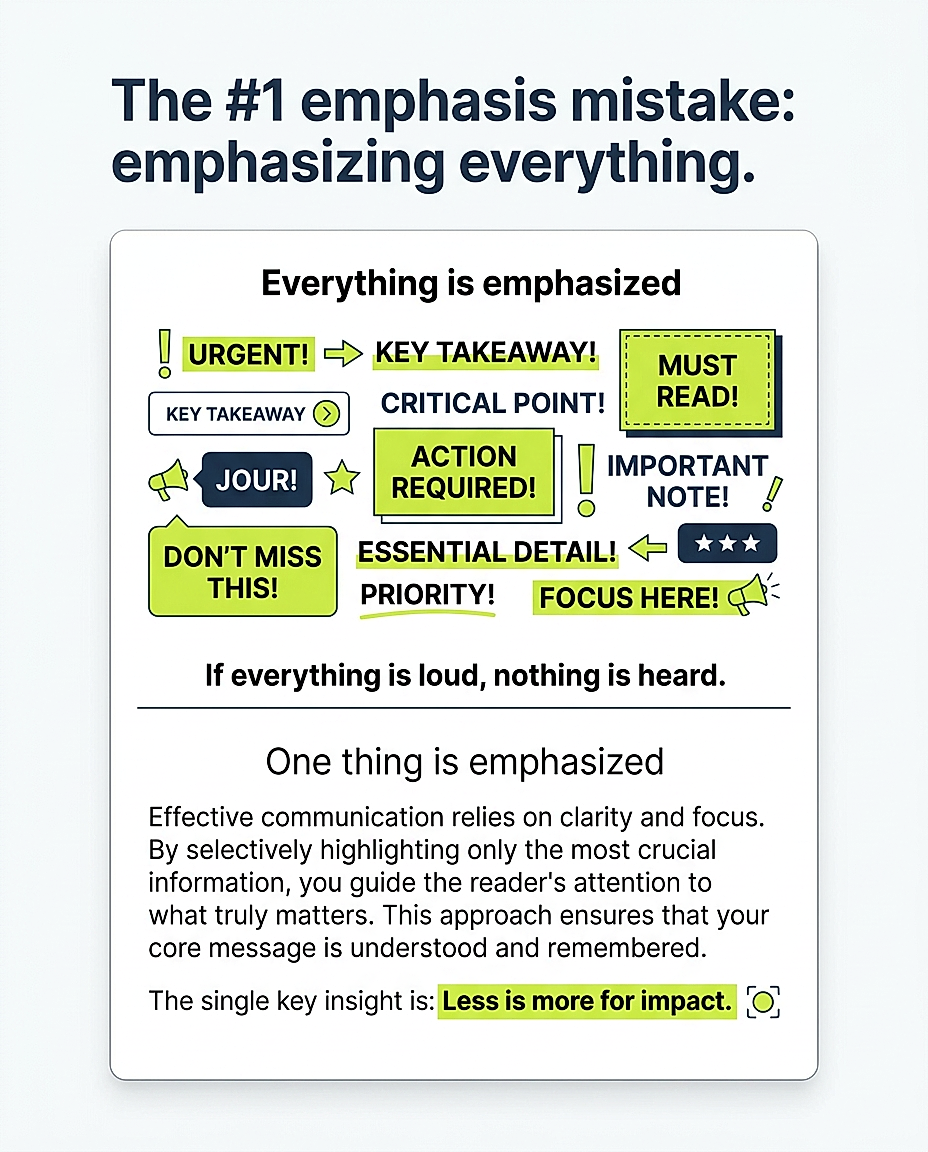
The most common emphasis mistake is emphasizing everything.
It happens gradually. The headline is bold, so you bold the subheading. The stat is in color, so you color the label. You add an icon to each point, then a highlight, then a box around the whole thing. Each decision seems reasonable, and together they erase the hierarchy.
Emphasis is relative. It only works if most of the page is quieter than the thing you’re emphasizing. If everything shouts, the reader hears noise.
A good rule of thumb is one primary emphasis, one secondary, and everything else quiet.
The Squint Test
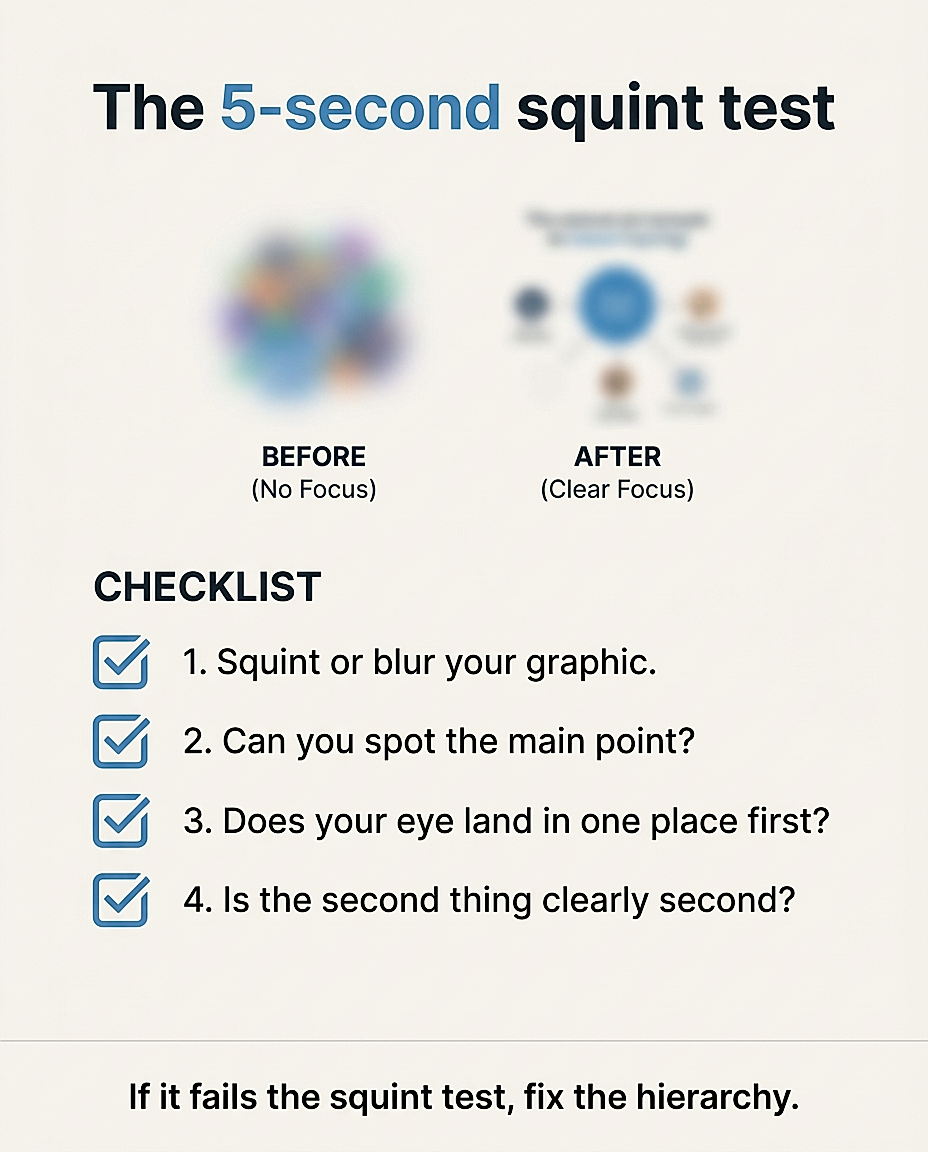
Before you post any graphic, try this: step back from the screen, or squint until the text blurs, then ask what you still see.
Can you tell what the main point is?
Is there one clear place your eye lands first?
Does your eye move naturally to the second thing, then the third?
If the blurred version is a mush of equal-looking shapes, the emphasis isn’t working. Fix the hierarchy, not the wording.
The Takeaway
Emphasis is the decision about what your reader sees first, then second, and then not at all. Get it right and your graphic works in a glance. Get it wrong and even great content gets scrolled past.
The five techniques (size, color, contrast, white space and restraint) all do the same job: they take attention off everything that doesn’t matter and put it on the one thing that does.
The hard part is making those decisions consistently, graphic after graphic. If you’d rather spend your time on the idea than on the layout, Visly turns a single sentence into a polished, on-brand LinkedIn infographic in under 60 seconds, with your colors and fonts locked in from the start.